

Where the files live
Commit the project file when the settings belong to the repository rather than to you.
Precedence
From strongest to weakest:-c/--configoverrides and other command-line flags- Environment variables
- Project config file
- Global config file
- Built-in defaults
Inspect and edit
/config and /reload-config do the reading from inside the TUI.
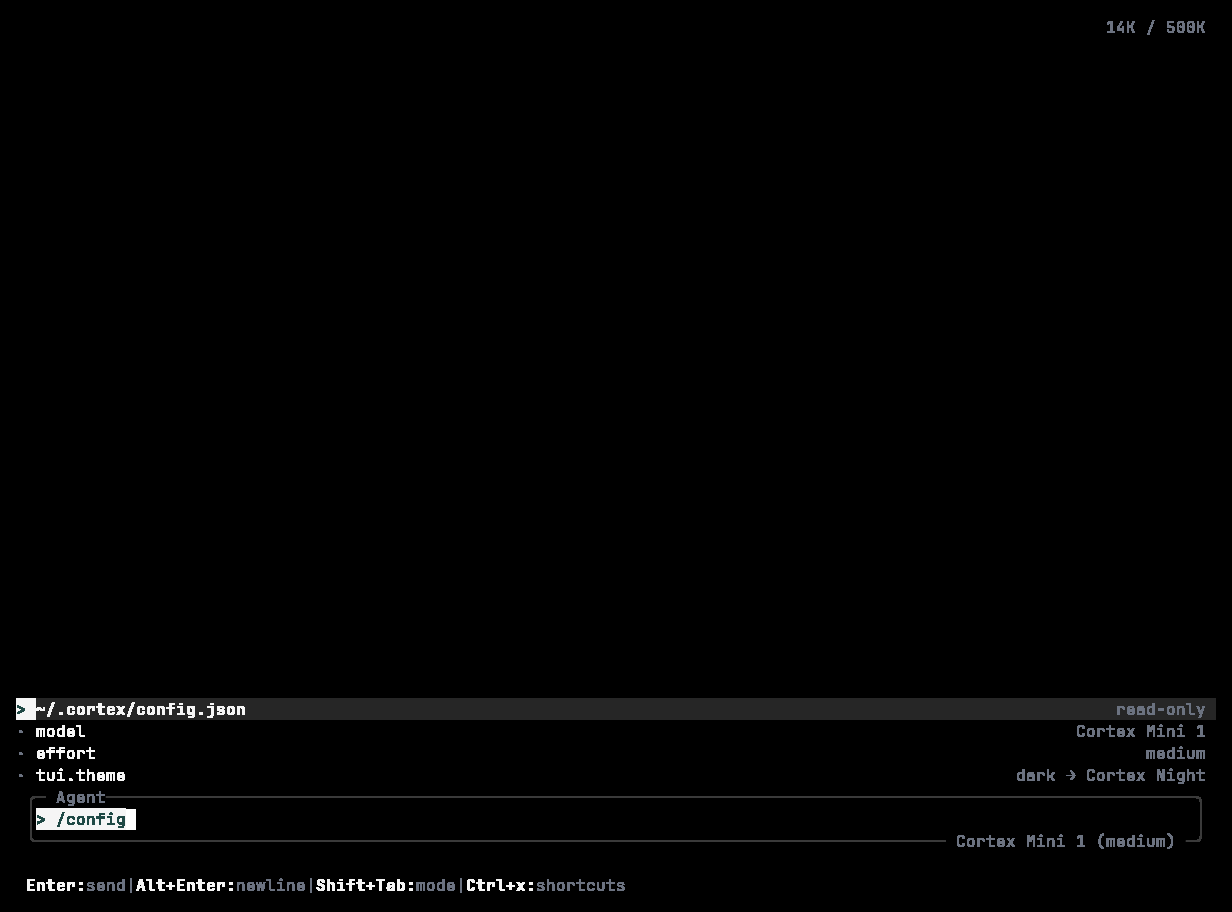
/config: a read-only view of the effective configuration — model, effort, permissions, sandbox, TUI settings, and the configured MCP servers. Edit with your editor.
Keys
Model
Permissions and sandboxing
permission table sets per-capability policy — see Modes and permissions.
Behaviour
TUI
/settings (or F2) — Appearance, Mouse, Behavior, AI, Git, Cloud, Privacy — with a search box at the top.
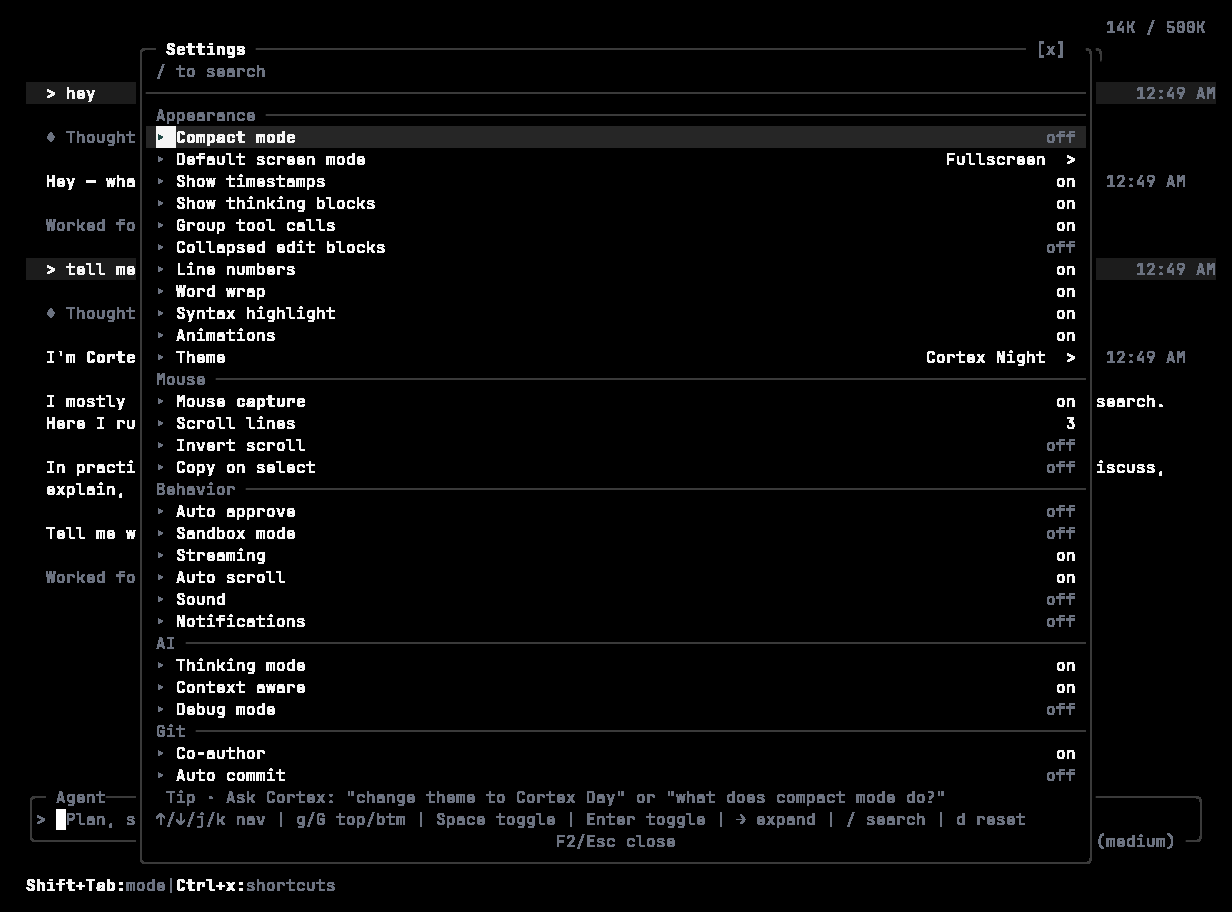
/settings → Appearance: compact mode, screen mode, timestamps, thinking blocks, grouped tool calls, line numbers, word wrap, syntax highlight, animations, theme.
History and execution
execution key has a flag: --max-agent-threads, --max-tool-threads, --command-timeout, --http-timeout, --no-streaming.
Extensions
Profiles
A profile is a named bundle you select with-p / --profile:
Environment variables
Values are never documented here — keep secrets in your keyring or CI secret store.Locations
Account
Interactive use should prefer
cortex login. See Sign in.
Host for Code
The TUI andcortex exec create a Cloud Code session unless you select another host.
This PC and SSH require an already connected Code session. Cortex will not create one on the fly and will not substitute the Cloud silently. See Code on desktop.
Model, logging, diagnostics
Set for you, not by you
Hook scripts and plugins can readCORTEX_FILE, CORTEX_SESSION_ID, CORTEX_MESSAGE_ID, and CORTEX_PLUGIN_ARGS. Cortex populates them for the processes it spawns.
Standard variables Cortex respects
EDITOR / VISUAL for cortex agent edit and similar; SHELL for completions; HTTPS_PROXY / HTTP_PROXY for cortex scrape; PATH, TERM, LANG, LC_ALL, USER in cortex debug system.
Data locations
AGENTS.md (from cortex init), .cortex/config.toml, .cortex/agents/, .cortex/skills/, .cortex/plugins/, .cortex/commands/. .agents/ and .agent/ are also scanned. Project files take priority over personal ones with the same name.
Some subsystems use the platform application directory — ~/.local/share/Cortex/ on Linux, ~/Library/Application Support/Cortex/ on macOS, %APPDATA%\Cortex\ on Windows — and the platform cache directory. A legacy ~/.config/cortex is still read so older installs keep working.
Credentials live in the OS keyring, not in any of these directories. See Sign in.
Shell completions
Related
- Modes and permissions
- Extend —
mcp_servers, agents, skills, hooks, plugins. - Troubleshooting